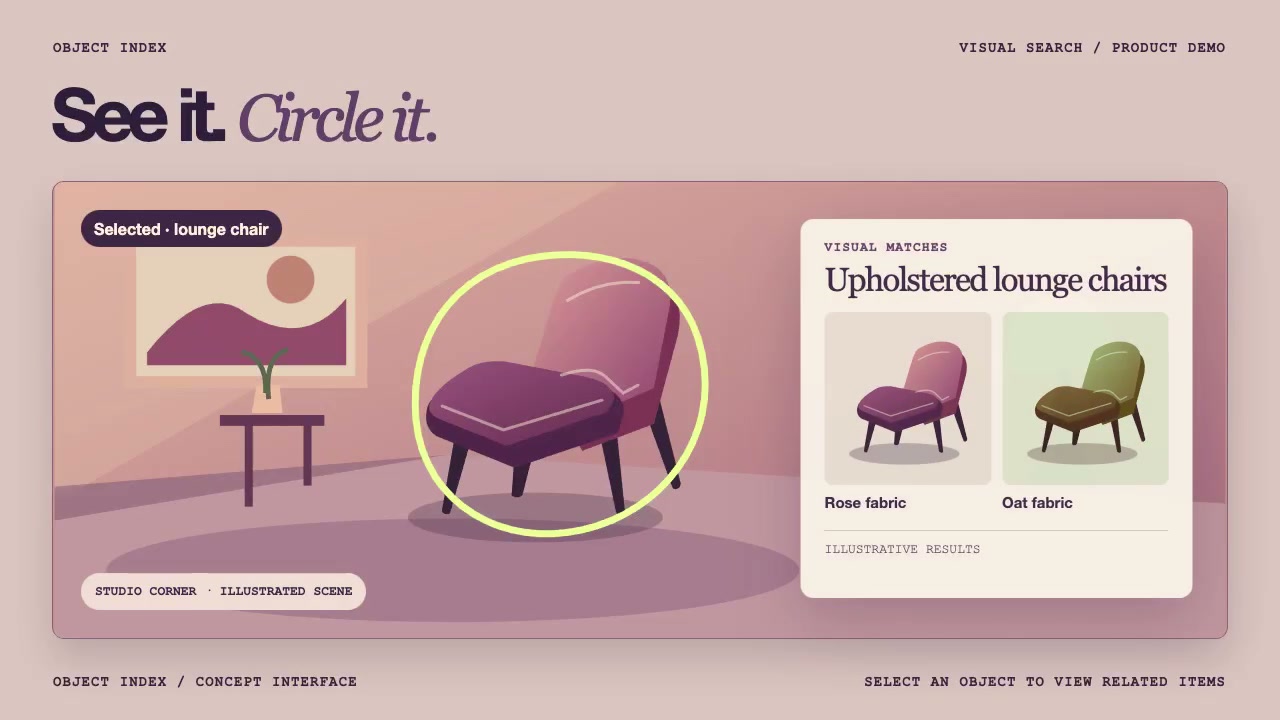
Storyboard a visual search demo in three frames
Keep the selected object visible when matching results appear. Sketch one frame before the gesture, one with the closed circle, and one with the same object still circled beside the results.
Use a scene and result images you have permission to show. Draw all three frames at the same aspect ratio as your demo. Start by penciling in the space the results panel will occupy in the last frame.
Draw the three frames
- Before the gesture. Place the object outside the area reserved for results. Pick a detail viewers can recognize in every frame, such as the curved back of a chair.
- Circle closed. Trace one loop around the object. Leave enough room between the line and the object to see its outline. Keep the crop unchanged from frame one.
- Results visible. Add the panel with a recognizable match. Keep the original object and its closed circle visible beside it. If the panel covers the object, move the panel or reframe the scene in all three sketches before recording.
Check the last frame at viewing size
Put frames one and three side by side at the size viewers will see. Can someone point to the original object in both without reading the result labels? In frame three, can they also point to a match in the panel? If the chair back disappears under the panel, leave more room for the panel in frame one and check the three sketches again.