App Launch Video Storyboard Example
- Fixed window
- Plum action row
- Three-step sequence
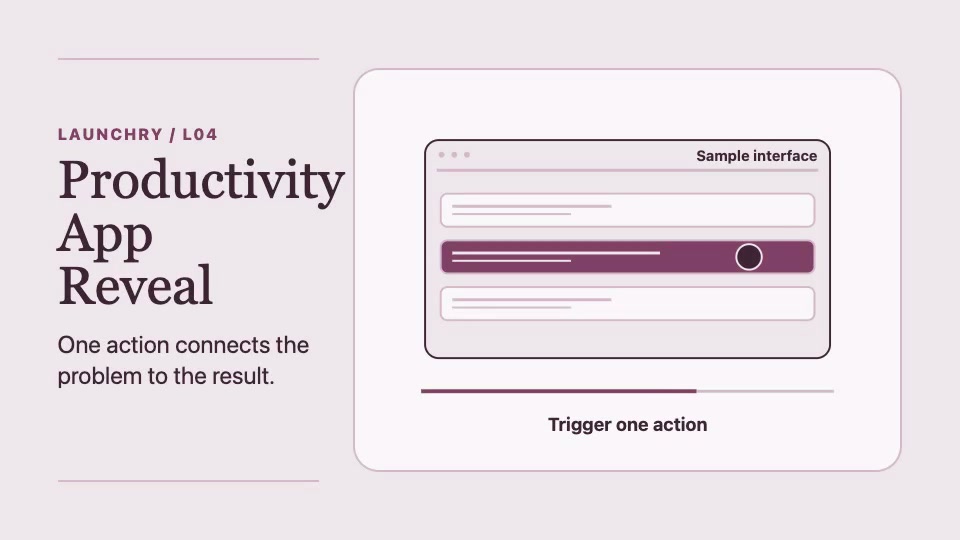
A three-shot app launch storyboard
This 12-second storyboard uses a sample interface. The frame stays fixed while the highlight moves from the old workflow to the new state.
This page provides a public app launch storyboard and a brief to reuse. The Productivity App Reveal Skill is marked Premium; its access is checked separately.
- Establish where the work currently happens. Use the same window for all three shots.
- In your own recording, show the real control the user taps or clicks.
- Keep the result on screen long enough to compare it with the start.
Brief to reuse. Show [the starting screen], then use [one labeled control] to reach [the visible result]. Attach your real screens for the start and result and a recording of the action.
Watch the free Dayfold demo for a worked exampleWriting captions or voiceover? Read the Dayfold product demo video script example. It pairs suggested lines with the starting screen, action and result in a 16-second software demo. It is not a transcript of the preview.
Choose a format for your app launch video
This example uses a 16:9 frame. Use it when the starting screen, action and result need room across a desktop interface.
For a phone-first feature update, compare the 12-second 9:16 product update example. Check that the control label and result remain readable in the portrait frame.
Choose the frame before recording your source material so you can keep the important interface details in view.